

Mobile applications

Repair and roadside assistance — on your terms

Describe the problem — masters will offer their own price and timeline. You choose by price, rating, and timeline, not by blindly calling around services. You talk to the master directly and pay them — with no platform commission.

For drivers

"I leave one request — instead of blindly calling around a dozen services"

Need repair, tire service, towing, or roadside assistance? Describe what happened, choose a convenient time, and nearby masters will respond on their own with a price and timeline.

For masters

"I decide myself what I take on and how much it costs"

Private mechanic, tow truck operator, tire shop owner, or auto service owner? Accept requests from nearby drivers. Set your own price and timeline.

How it works

Create a request, compare offers from masters, and choose the best one.

  1. Create a request step by step

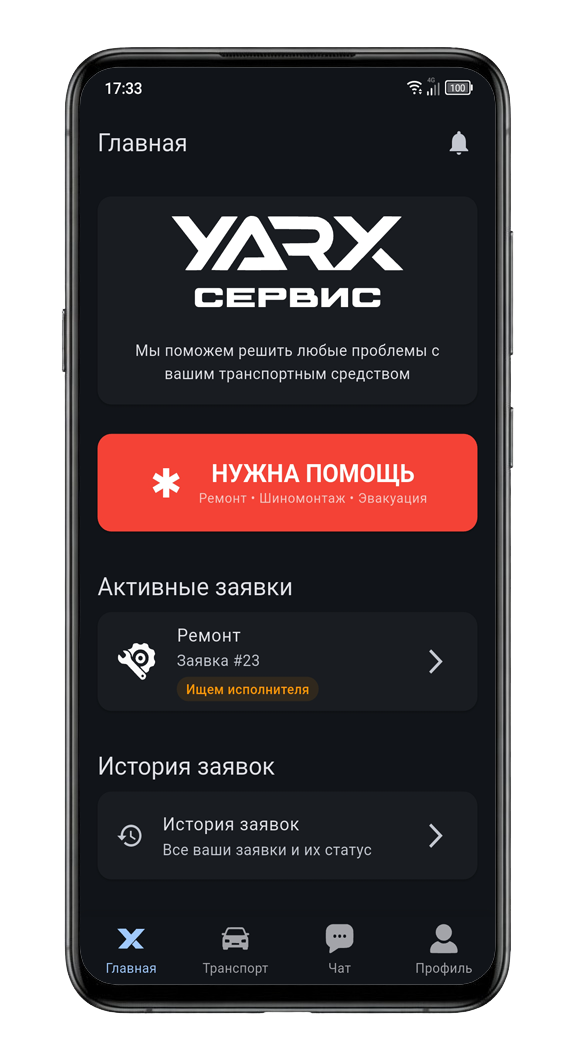
    In the Service app, tap “Need help”. Then step by step choose the kind of help, pick your vehicle, set the address or services, a convenient time, and briefly describe what happened. Add photos if you want.

  2. Wait for offers

    Nearby masters will see your request and send their offers: how much it costs and when they can help. All offers show up right in your request — you just choose one.

  3. Choose a master

    Open the request and review the offers. You can sort them by price, arrival time, or rating, and also read reviews. Pick the one that suits you — after that you can get in touch.

  4. Follow how the job goes

    In the request you can see what is happening: the master left, arrived, work is in progress. If you drove to the workshop yourself, tap “I’m here” so masters get a notification about your arrival. When the work is completed, you can leave a rating.

FAQ

Why are there two apps?

Because a driver and a master do different things. In the Service app you create a request, choose an offer, and follow the job. In the Master app providers take nearby requests, reply with their price, and help on site or at the workshop.

Does a driver pay for the app?

No. Downloading the app, creating a request, browsing offers, and messaging a master are free. You only pay for the work itself — to the master you chose, as you agree: by transfer, card, or cash.

Why are the prices different for one request?

The master sets the price. Some are cheaper, some can arrive sooner, some have a higher rating. You simply look at the options and choose what matters more to you.

Can I book towing together with repair?

Yes. When creating a request, choose “Towing and repair” or “Towing and tire service”. First the car is picked up, and the work is done after delivery to the workshop.

Do I need to add a vehicle beforehand?

Yes. Open the Vehicles tab and add your car: make, model, and plate number. Without that you can’t create a request — the master needs to know which vehicle they will work with.

I opened the Master app, but there are no requests. What should I do?

First add your equipment or register a workshop — without that, requests won’t come in. Also turn on location access: otherwise nearby requests won’t show up.

What happens after I choose an offer?

You choose one master and can call or message them. Then just follow the request: when they left, when they arrived, and when the work is finished. At the end you can leave a rating.

Can I cancel a request?

Yes. Open the request and cancel it if the work is not finished yet. If a master is already chosen and your plans simply changed, it’s better to message them in chat first.

We connect drivers and masters directly — the price emerges from fair competition. For drivers it saves money and time; for masters it brings a steady flow of requests.